


Neighborbrite Landscape Design
4.622.00 Reviews
App Specs
- Version
- 2.4.1
- Updated On
- License
- Free
- Downloads
- 10,000+
- Developer
- Neighborbrite Inc.
- Categories
- House & Home
- Platform
- Android
Screenshots
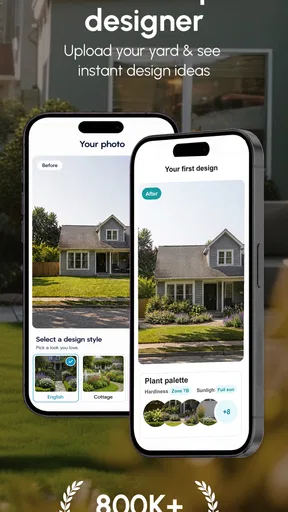
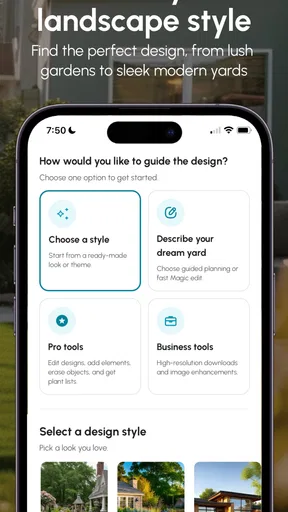
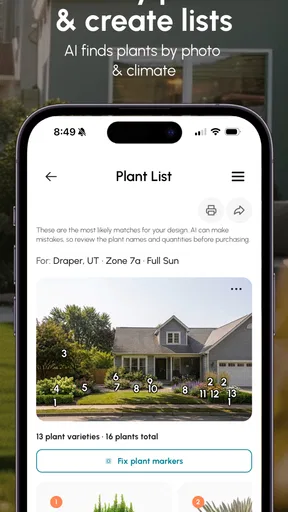
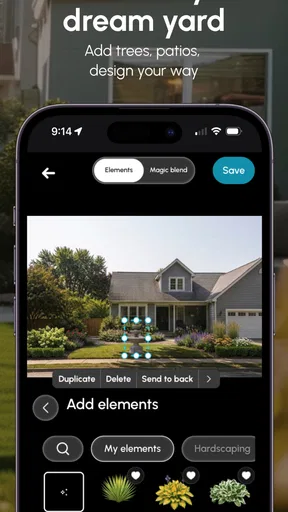
 Analysis by AppCompare
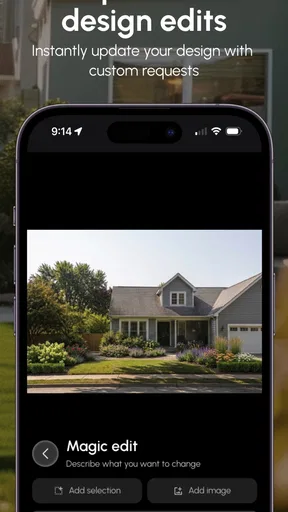
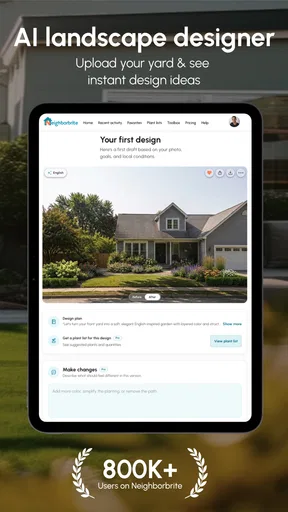
I approached Neighborbrite Landscape Design as someone trying to turn a vague outdoor idea into something I could actually discuss with another person. That distinction matters. A garden-planning app can look impressive while still being difficult to use when the yard is irregular, the light is poor, or the person planning it has limited time, vision, dexterity, or confidence with design tools. Neighborbrite, from Neighborbrite Inc., takes an AI-led route: instead of beginning with a blank technical plan, it helps you imagine changes to gardens, yards, and other outdoor spaces.
My overall impression is that it is most useful as a visual starting point rather than a complete landscaping service. I can see the appeal for a renter imagining a balcony refresh, a homeowner comparing planting moods, or a family trying to agree on a direction before spending money. It is free to install, aimed at Everyone, and its current version is 2.4.1. The app has reached over ten thousand installs and holds a 4.6 average from around two hundred ratings, which suggests a positive early reception without making it a substitute for checking the design carefully yourself.
How clearly the app supports different users and situations
I find Neighborbrite most useful when the people sharing an outdoor space need a common starting point, especially if they have different confidence levels or ways of expressing what they want. A generated concept can help turn “make this corner easier to use” into a discussion about routes, seating, and upkeep without demanding design vocabulary. I’d use that shared image to surface whose daily routine the plan should serve before settling on a direction.
Readability and navigation when the task begins with a blank space
The strongest accessibility choice in the concept is the visual shortcut. Traditional landscape software often asks users to understand plans, layers, plant libraries, measurements, and technical symbols before they can make progress. An AI-powered approach feels less intimidating because I can begin with the space I already have in mind instead of learning a professional drafting system first.
That makes the app approachable for somebody who knows what feels wrong about a yard but does not know the names of suitable plants or design styles. I might want a quieter corner, a more welcoming entrance, or a less empty patio without knowing how to describe those goals in landscaping language. A generated visual can give me something concrete to react to, and reacting to an image is often easier than inventing a plan from nothing.
For readability, the most important practical habit is to treat each image as a conversation piece. I would look for the main change first, then inspect the edges: paths, steps, fences, doors, seating areas, and the parts of the yard that need to remain usable. This prevents the attractive center of a concept from hiding awkward circulation. It also makes the app more manageable for users who find dense planning interfaces tiring.
I would not assume that a polished picture automatically communicates scale, maintenance, or safe movement. Someone with low vision may find a busy garden image difficult to interpret, while a user who depends on strong contrast may need to zoom in or view the result on a larger screen. The app’s visual nature is helpful for some people, but it can also make the experience dependent on image clarity and personal interpretation.
Worth Reading Before You Choose

Flipboard Shows What News Apps Must Do Beyond the Feed

Switching to Android Auto Means Rethinking Your Driving Routine

Google Calendar Makes a Crowded Week Easier to Manage

Ludo King Makes the Most of the Minutes Between Plans

Baby Panda World Brings Quick Play to Modern Phones, but Its Game Library Feels Busy

ESPN’s Live Game View Makes Following Close Games Easier
There is a useful workflow here for people who process information better in stages. I would first save or note the broad idea I like, then make a short list of practical questions: Where would I walk? What must stay clear? Which area needs shade? What would be difficult to maintain? This separates inspiration from decision-making and reduces the pressure to understand everything at once.
Motor and sensory considerations during visual planning
Landscape planning can be physically demanding even before the gardening begins. Measuring a yard, moving around uneven ground, photographing corners, and comparing materials are all harder for users with limited mobility, balance concerns, chronic pain, or fatigue. An app that lets me explore ideas from indoors can reduce the need to repeatedly walk around the property while making early decisions.
That benefit is especially practical in a realistic everyday situation. Imagine an older homeowner who wants a safer route from the back door to a shed but cannot comfortably inspect the entire garden in one session. A family member could help capture the space, and the homeowner could review possible visual directions while seated, discussing which parts feel open, crowded, or welcoming. The app does not replace an on-site assessment, but it could make the first conversation less physically demanding.
For users with limited hand control, the value depends on how much interaction is required during the design process. A visual concept is less demanding than drawing every border manually, but any mobile app can become frustrating if it requires repeated precise taps, small controls, or long periods of holding a phone. I would use a stand, a larger display when possible, and short sessions rather than trying to complete an entire project in one sitting.
Sensory needs also change how useful a garden concept becomes. A design that looks calm on screen could still create glare, strong fragrance, dense visual clutter, or difficult textures outdoors. For someone sensitive to noise, bright lighting, pollen, or crowded patterns, the image should be treated as a prompt to ask better questions, not as proof that the finished space will feel comfortable.
One non-obvious advantage of an AI visual tool is that it can help users explain preferences without relying entirely on verbal descriptions. A person who struggles to describe spatial ideas, communicates more comfortably through images, or needs extra time to formulate an opinion may be able to point to a concept and say what works or does not. That can make discussions with relatives, contractors, or support workers more productive.
At the same time, visual communication can exclude people who cannot comfortably see or interpret the generated image. I would not recommend relying on the app alone for a blind or severely visually impaired user unless a trusted person can describe the concepts in detail. The app may support shared planning, but the inclusive experience then depends heavily on the helper and on how clearly the result can be explained.
Situational access: using the app before a decision, not only at home
Neighborbrite fits several moments when a full professional consultation feels premature. I could use it before visiting a nursery, before asking for quotes, or while comparing whether a small outdoor area should become a seating zone, a planting bed, or a clearer passage. It is also useful when household members have different tastes and need a visible starting point rather than an argument based on imagination.
For a renter, the app can help explore reversible ideas such as containers, movable seating, privacy screens, or changes in arrangement. I would still check lease rules before acting, but the visual stage can prevent buying items that do not suit the space. For a homeowner preparing to sell, it may help frame a curb-appeal discussion, although I would be cautious about making expensive changes based only on an attractive concept.
The app can also support people who work in short bursts. A parent with limited uninterrupted time might review one corner of the yard after dinner, while a person managing fatigue could compare ideas on a day when outdoor inspection is not realistic. The key is to define one decision per session. Trying to redesign the entire property at once creates cognitive overload and makes it harder to notice whether the proposal actually fits daily life.
There is a particularly useful role for shared decision-making. I would show a concept to the person who mows, waters, trims, or uses the space every day and ask what would become harder. A low-maintenance preference may matter more than a dramatic visual improvement. Someone using a walker may notice a narrow route that I overlook. Someone with sensory sensitivities may reject a feature that photographs beautifully. The app becomes more inclusive when the image is tested against the routines of everyone who shares the outdoor area.
Because the minimum operating requirement is Android 7.0, it is positioned for a broad range of Android devices rather than only very recent phones. That can help users who keep an older handset for financial or practical reasons. Still, an older device may make image review less comfortable, especially for people who need larger text, stronger visual detail, or smoother interaction. I would judge the experience on the actual device being used, not just on the operating-system requirement.
Where the visual approach still leaves barriers
The biggest barrier is the gap between an appealing concept and a buildable landscape. AI can suggest a mood or arrangement, but a real yard has drainage, soil conditions, local weather, mature roots, utility lines, slopes, property boundaries, and accessibility needs. A person may see a beautiful route or planting scheme without knowing whether it is safe, legal, affordable, or suitable for the site.
This matters even more for users who cannot easily inspect those details themselves. If I have limited mobility, I may be more dependent on another person to verify gradients and surfaces. If I have low vision, I may need someone to identify obstacles that are easy to miss in an image. If I am planning for a child, an older adult, or a wheelchair user, I need real measurements and on-site testing rather than visual confidence.
Another limitation is that AI suggestions can encourage premature commitment. The first concept that feels attractive may become an anchor, making alternatives seem less appealing even when they are more practical. I would deliberately compare the visual idea with a simple hand-drawn plan and a no-change option. That small pause helps reveal whether the app is solving a real problem or merely making novelty look necessary.
Cost is another consideration. The app is free, but in-app purchases range from about twenty-five dollars to around one hundred fifty dollars per item. That creates a meaningful trade-off for users who want to experiment without financial pressure. I would begin with the free experience, decide whether the visual output is genuinely helping, and only then consider paying. A user should not feel that an attractive preview obliges them to purchase anything or to build the result.
The app’s Everyone age rating makes it suitable in broad terms for general audiences, but that does not mean every design is appropriate for every household. Children can enjoy imagining a garden, yet an adult should handle decisions involving tools, plants, access routes, water, lighting, or construction. Likewise, a concept intended for an older person should be reviewed by the person who will actually use the space, not chosen solely by a relative.
I would also skip this app if I already need a precise construction document, a plant schedule tied to local conditions, or a verified accessibility plan. In those cases, a landscape professional, an established design program with accurate measurements, or direct advice from a local nursery is the better choice. Neighborbrite is strongest before that stage, when the question is “What direction might suit this space?” rather than “Can this be built exactly as shown?”
Practical ways to get a more inclusive result
My first tip is to photograph or describe the space with access in mind, not just appearance. Include the entrance, the route to frequently used areas, the place where bins are stored, and any surface changes. If the app’s concept focuses on the prettiest view, these functional details can disappear unless I actively bring them into the discussion.
My second tip is to create a short “must remain clear” list before judging any concept. It might include a door swing, a path wide enough for the intended user, a place to turn, a delivery route, or a low-effort watering position. This turns a general visual experiment into a practical filter and is especially valuable when several people with different abilities share the property.
My third tip is to review images with a second person who uses the space differently from me. I would ask them to identify one comfortable feature, one concern, and one change they would need. That three-part review is more useful than simply asking whether they like the picture. It also gives people who are less comfortable with design vocabulary a clear way to participate.
My fourth tip is to separate permanent decisions from reversible tests. Containers, movable chairs, temporary screening, and marked walking routes can help verify whether an idea works before paving, planting, or building. This is a better match for the app’s exploratory nature and protects users who need to test a space physically before committing.
Finally, I would keep a written version of the decisions. Note what the image is trying to achieve, what must be checked on site, and which features are optional. This helps users who find visual memory unreliable and makes it easier to return to the project after a break. It also prevents the generated picture from becoming the only record of the plan.
My inclusive verdict on Neighborbrite Landscape Design
I like Neighborbrite as a low-pressure way to begin talking about an outdoor space. Its AI-based visual approach can reduce the intimidation of traditional landscape planning, support people who communicate better through images, and let users explore ideas without immediately walking the whole property or learning specialist software. The app is particularly promising for early conversations, shared household decisions, and small projects where inspiration is the main obstacle.
Its accessibility value is real but conditional. It can reduce physical effort during the imagination stage, yet it does not remove the need for measurements, sensory judgment, safety checks, or help from another person when visual information is difficult to access. The same image that empowers one user may be confusing or inaccessible to another. I would describe it as a useful aid for inclusive planning, not as a complete accessibility solution.
Neighborbrite Inc. has made a sensible choice by focusing on the part of landscaping that many people struggle with first: seeing possibilities. I would recommend trying it if you want a clearer starting point, need to compare styles with family members, or feel blocked by the blank-page problem. I would be more cautious if your project depends on exact dimensions, specialist horticultural knowledge, or a fully accessible route.
My final advice is simple: use the app to ask better questions, then verify every important answer in the real yard. If the concept survives that test, it has done its job. If it only looks good on the screen, save the inspiration and choose a more precise tool or professional for the next step.
Pros
- Easy-to-use tools make garden planning accessible to beginners.
- Helps visualize landscaping ideas before buying plants or materials.
- Useful inspiration for different garden styles and outdoor spaces.
- Can support more organized planning for patios
- beds
- and yard layouts.
- Convenient mobile access for reviewing ideas while shopping or planning.
Cons
- Some advanced design options may require a subscription or in-app purchase.
- Results depend on accurate photos
- measurements
- and user-provided details.
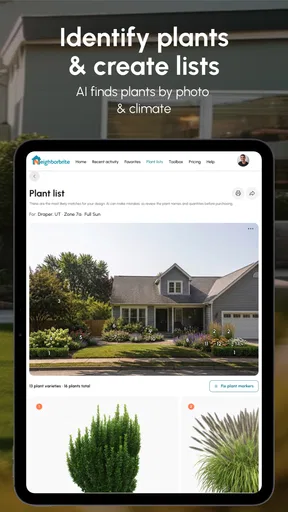
- Plant recommendations may not fully reflect local climate or soil conditions.
- Large or detailed projects can take time to set up on a mobile screen.
- Visual previews may not perfectly match real-world colors
- scale
- or growth.
FAQs for Neighborbrite Landscape Design
What is Neighborbrite Landscape Design, and what can I use it for?
Neighborbrite Landscape Design is a landscaping visualization app that helps you explore ideas for improving an outdoor space. You can use it to imagine changes to a garden, backyard, patio, or front yard, experiment with different styles, and get inspiration before beginning a project. It is best viewed as a planning and idea-generation tool rather than a replacement for professional landscape design advice.
How does Neighborbrite create landscape design ideas from my property?
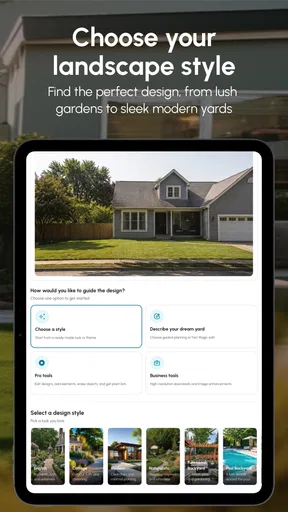
The app generally works by using a photo of your outdoor area or a selected scene as the starting point for design recommendations. After choosing preferences such as a style, plants, structures, or other landscaping elements, it generates visual concepts based on the image and your selections. Results can vary depending on photo quality, lighting, camera angle, and how clearly the existing space is visible.
Is Neighborbrite Landscape Design free to download and use?
Neighborbrite may be available to download without an upfront charge, but some features, design generations, or advanced tools can depend on the app’s current subscription or credit system. Before using it extensively, check the official Google Play Store or Apple App Store listing for pricing, trials, in-app purchases, and renewal terms. Availability and costs may differ between Android and iOS.
Can I rely on Neighborbrite’s designs for real construction or planting decisions?
The app is useful for visual inspiration, comparing styles, and communicating ideas with family members, contractors, or landscape professionals. However, generated images should not be treated as precise construction plans. They may not accurately represent measurements, drainage, sunlight, local climate, soil conditions, plant growth, property boundaries, or building regulations. Verify important details with a qualified local professional before starting work.
What should I know before uploading photos to Neighborbrite?
Before uploading a property photo, review the app’s privacy policy and permissions so you understand how images and related information may be stored or processed. Avoid including people, children, house numbers, documents, or other sensitive details in the image. A clear, well-lit photo taken from a useful angle usually produces better concepts, while cluttered or poorly framed pictures may lead to less realistic landscaping suggestions.


